

Restricted Mode
Teams can become restricted due to billing issues that need resolution or if checkout was never completed during team creation.
When Teams Are Restricted
A Team can become restricted when:
- Payment failures occur (declined or expired cards).
- Subscription is cancelled.
- Subscription becomes past due.
- Other billing issues that require attention.
- Checkout was never completed during team creation.
- Trial period ends without activating a paid subscription and entering payment details.
Restricted Team State
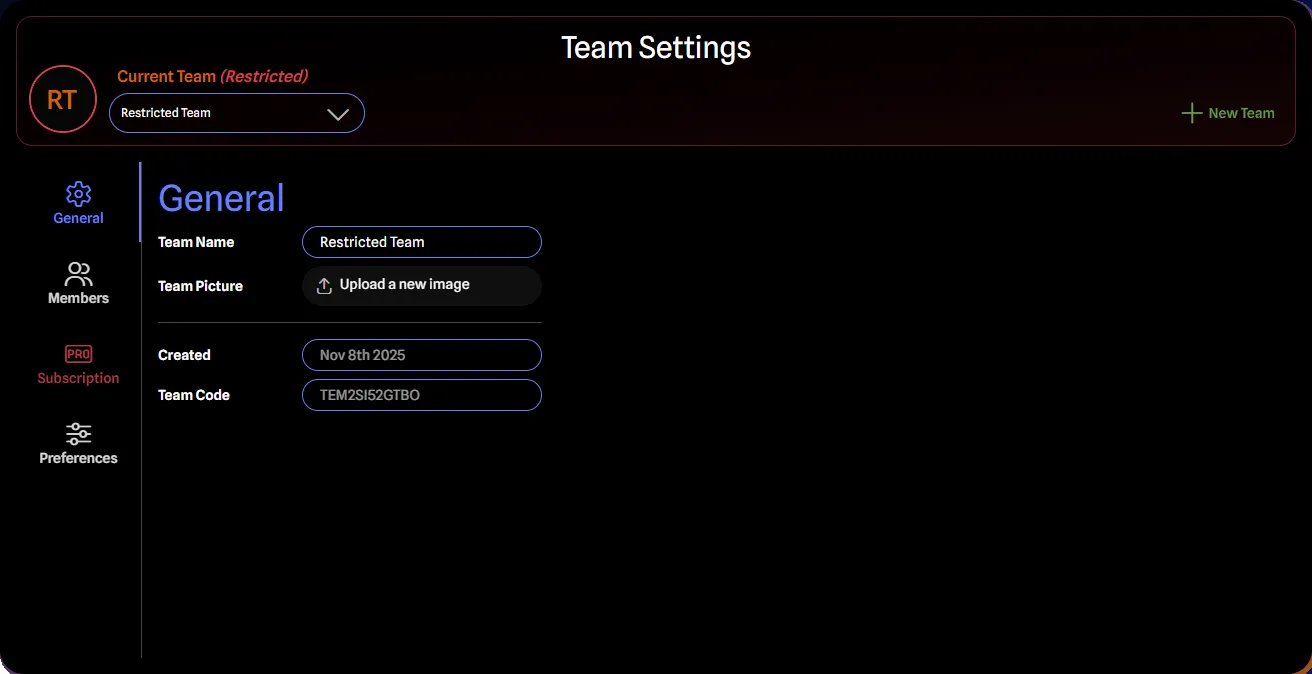
When restricted, the team is displayed with red styling and visual indicators. Restrictions affect team management but preserve access:
Limitations:
- Cannot invite new members.
- Cannot add paid members.
- Cannot change roles.
- Pro may be lost for members in paid roles if no other active paid teams exist.
What Remains Accessible:
- Existing members retain their current access.
- Projects and library items remain accessible in read-only mode.
- Team settings remain accessible to management roles.
- All data is preserved.
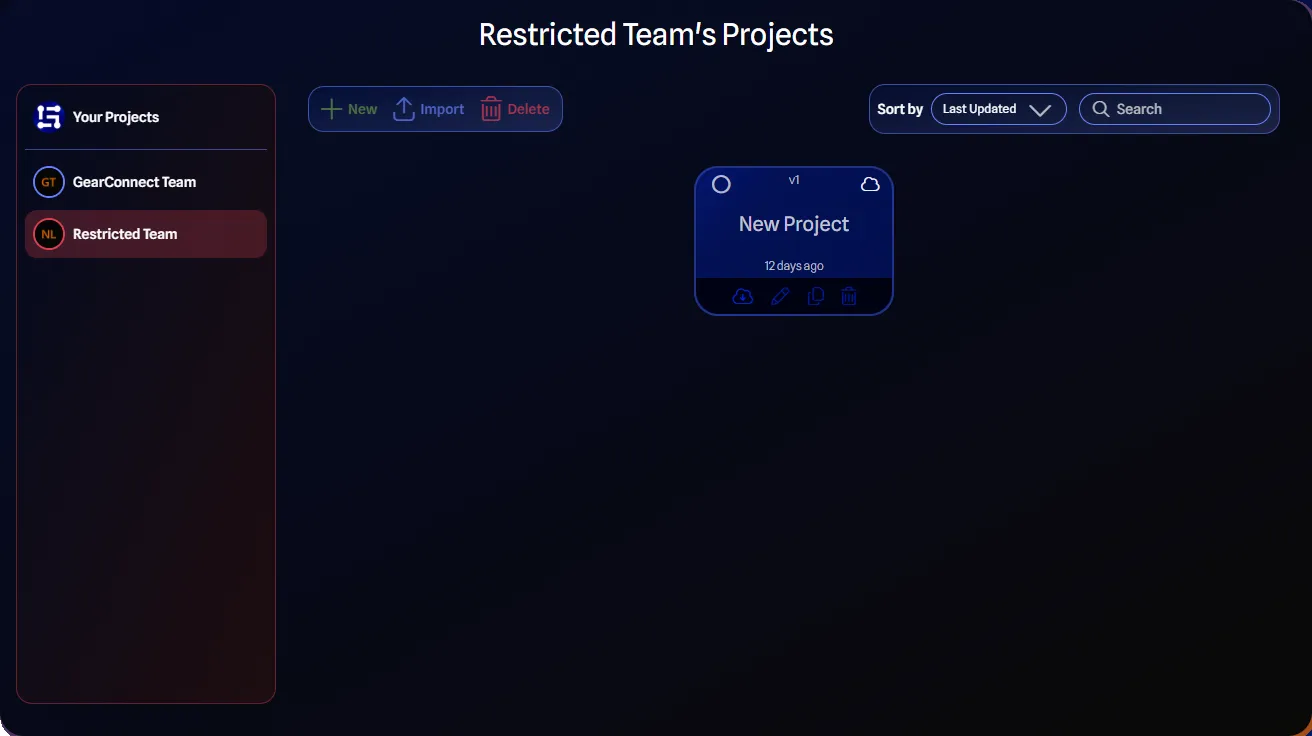
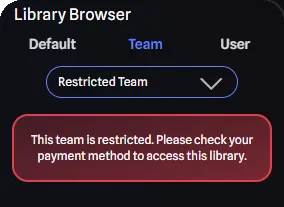
Other examples of restricted access in the app include:
Projects Page:
Library Browser:
Resolve Restrictions
To resolve Team restrictions:
- Navigate to the Subscription Tab in Team Settings.
- Click either Manage Plan or the Update payment method button if present.
- Update your payment method or resolve outstanding billing issues.
- Restrictions automatically lift once billing is resolved.
If you continue to experience issues, contact our support team for assistance.
For more information, see the Subscription Tab page.