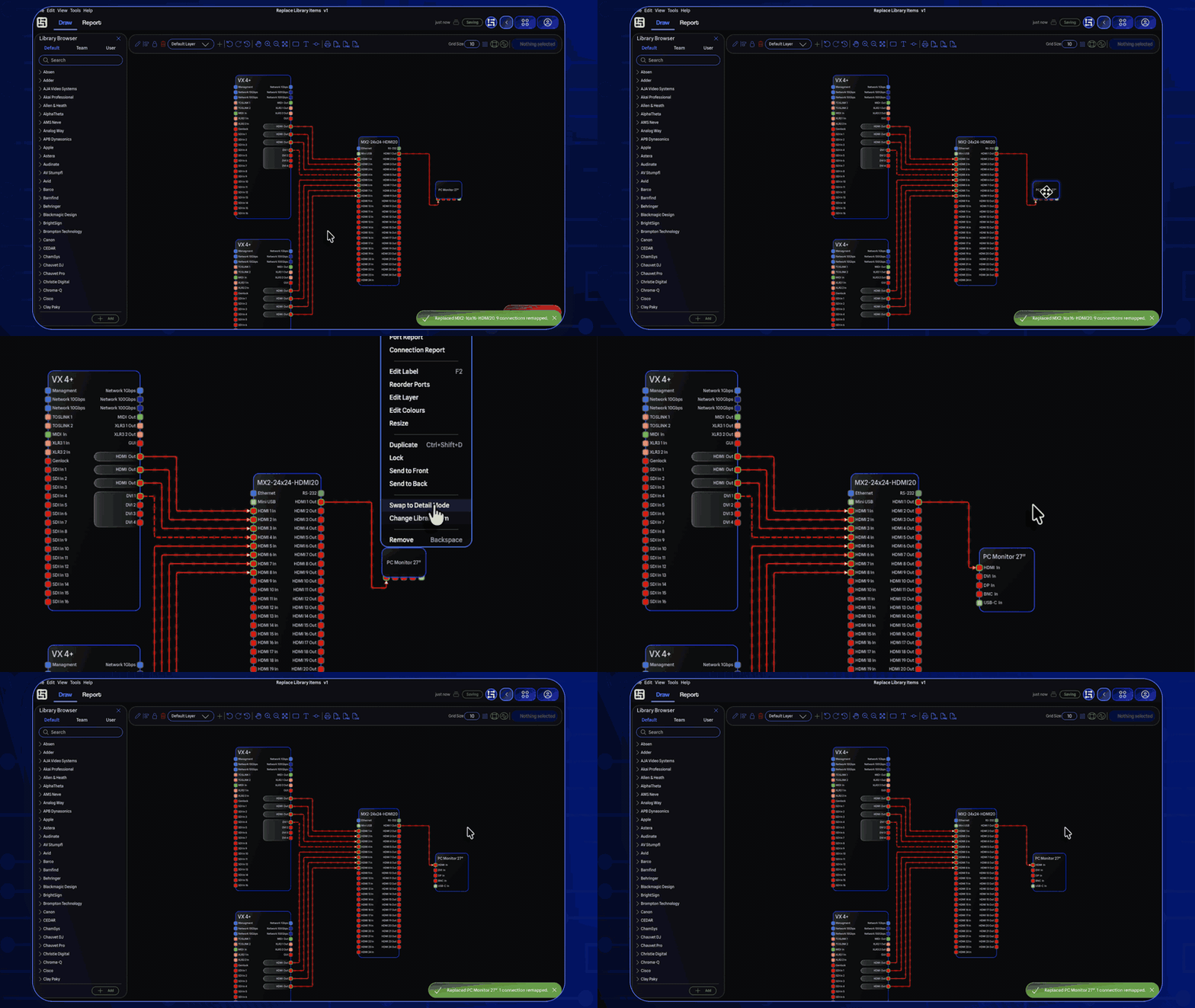
Accessible from the right click menu and General Settings, you can now toggle gear between Detail Mode and Standard Mode without removing and re-adding it. Detail Mode displays ports along the left and right sides, which is great for switches or consoles with many different connectors. Standard Mode places ports along the top and bottom, better suited for simple devices like speakers or lighting fixtures.
This feature requires Local Mode to be enabled.
Replace Library Items
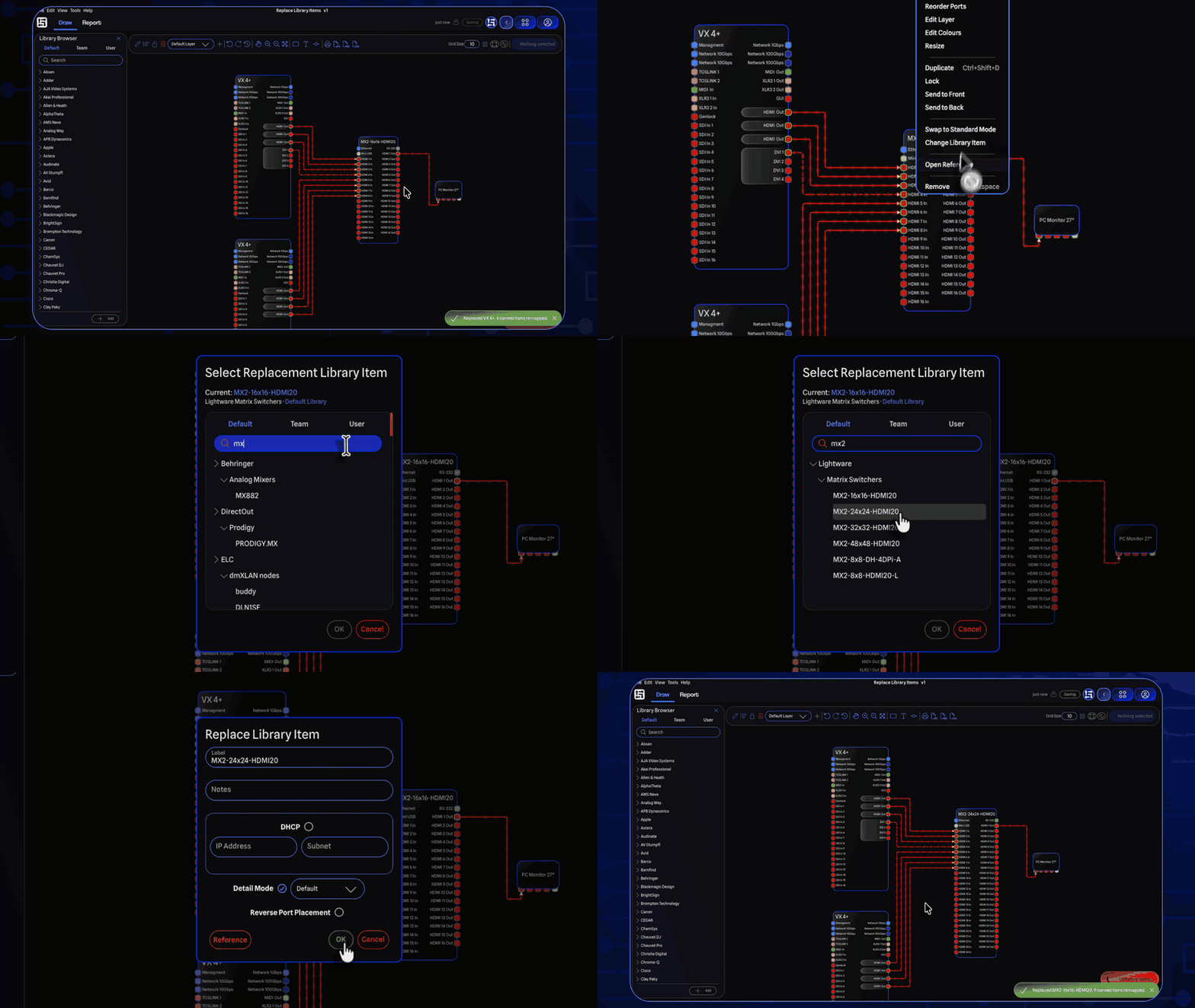
You can now swap out a piece of gear in your drawing for a different library item without having to remove and re-add it manually. Right-click any gear on the drawing and select Change Library Item to open the Library Browser, pick a replacement, and GearConnect will handle the rest. This feature requires Local Mode to be enabled.
Change Expansion Cards
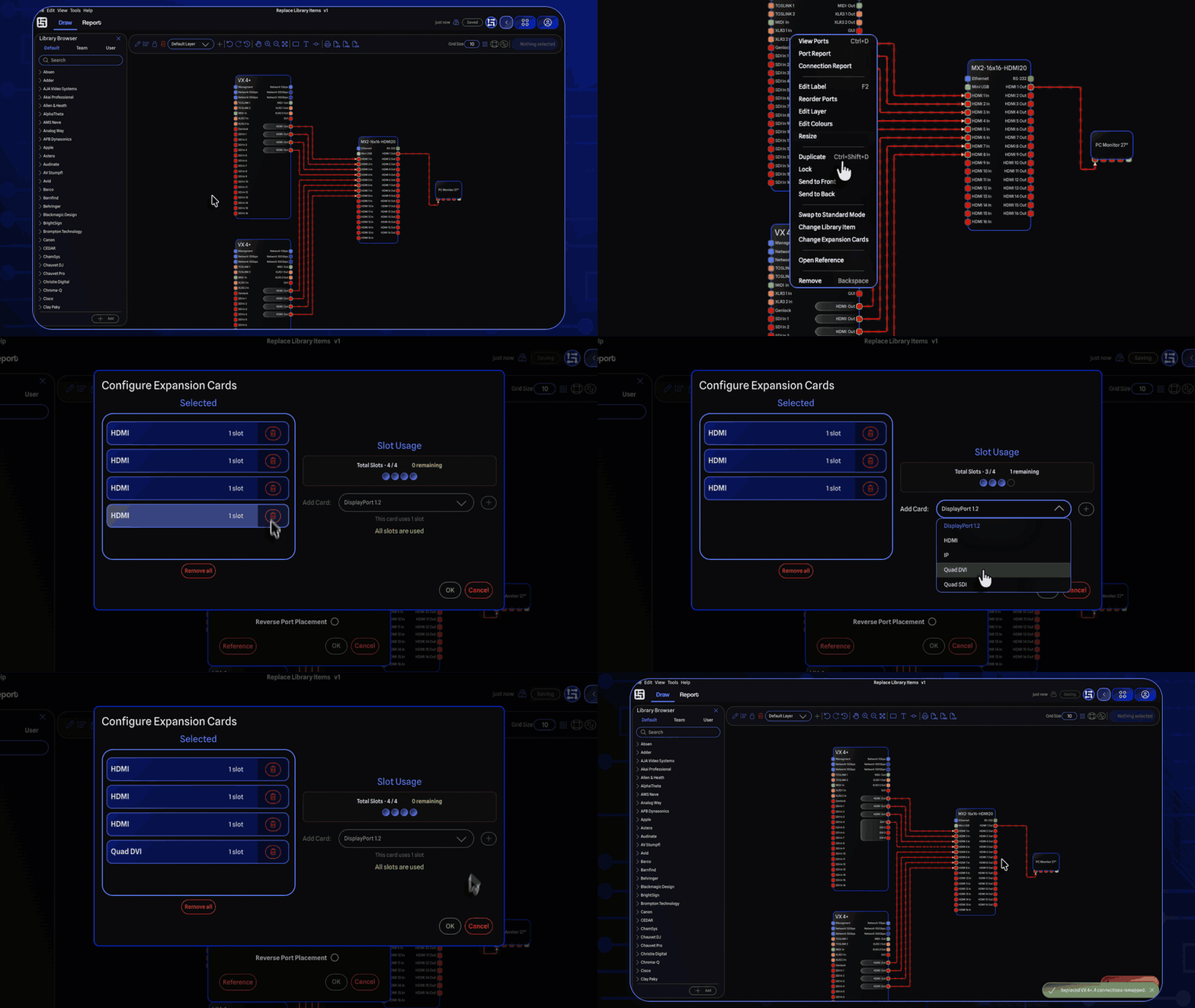
Along with replacing library items, you can now change the expansion card configuration of gear directly in the drawing. Right-click any gear that supports expansion cards and select Change Expansion Cards. The expansion card picker opens pre-populated with the current configuration, make your changes, and the gear is rebuilt with the updated cards.
This feature also requires Local Mode.
Real Time Connection Re-Mapping
When you use one of these features, GearConnect automatically remaps your existing connections to matching ports on the updated gear by trying to find the best match between the old and new ports. A notification summarizes how many connections were remapped, and any connections that couldn't find a match are removed.
Using GearConnect's real time port validation, it will attempt to match ports maintaining the old ports as close as possible; across expansion cards, connectors, signal types, and more. If it can't find a clean match, it will attempt to find a compatible port you can use with an adapter. And of course, if the result is not what you expected, you can always undo the replacement or move connections as needed.
Note that customizations to the ports themselves will be reset when using these features as it uses the library item to determine the updated port configuration.
Default Library Updates
Thank you to everyone who has submitted library items!
Allen & Heath
CC-10
GPIO
Behringer
MX882
ChamSys
Compact Connect
Compact Mini Connect
Compact Wing
DIN
MQ50
MQ70
Rack
Chauvet DJ
SlimPAR Pro Q USB
Chauvet Pro
Net X-II
D&B Audiotechnik
DS10
GearConnect Generic Items
Audio Combiner Active/Passive
Audio Splitter
Audio Switcher 40K
Glensound
AoIP22
Key Digital
KD-CX800
Penn Elcom
1U Rack Panels 16 x BNC
Shure
SLXD24D-G58
Improvements
Tightened up spacing in menu items, for a more compact design.
Added a Gear submenu to the Edit menu with Swap Detail/Standard Mode, Change Library Item, and Change Expansion Cards actions.
Project validation improvements:
It now runs automatically after every save.
Validation can attempt to repair items rather than just removing them by replacing gear with fresh library items and remapping their connections. In cases where the original gear cannot be resolved, a generic item with a matching port count may be used as a fallback.
You can no longer cancel validation.
Significant improvements to the validation pipeline, catching and handling dozens of additional cases for further reliability.
Local Mode syncing improvements:
Reduced network traffic during Local Mode syncing for better performance and faster syncing.
Gear Groups are now more reliably tracked during syncing.
Connections and ports now wait to clean up old items until all connections and ports have been updated on the server to prevent the sync from getting stuck in rare edges cases where it tries to update a previously deleted item.
You can now bulk edit cable inventory SKUs, with automatic suffixing for duplicates.
Duplicate VLAN Ids and duplicate cable inventory SKUs are now automatically relabeled to avoid conflicts.
Improved resilience when upgrading older project data and importing projects.
Importing projects now continue by default instead of aborting, as any import errors are now handled via the improved project validation.
As such, the checkbox has been renamed to "Abort import on errors" and is off by default
Importing a new project or copying an existing project now has a preprocessing step, to preemptively prevent any possible import conflicts.
Bug Fixes
Fixed being able to connect a connection to the gap between expansion card ports.
Fixed a crash that could occur when gear was being resized and port data could not be loaded.
Fixed connections sometimes getting stuck in the wrong gear group.
Fixed duplicate VLAN IDs sometimes not updating correctly.
Fixed the Undo Stack not working after importing a file.
Fixed an issue where syncing could fail if a switch port was missing a VLAN, such as when opening an older file where the VLAN had since been removed.
Fixed importing files offline and then syncing to the server causing sync to fail in some situations.
Fixed ports no longer being created if the gear itself failed to be added to the drawing.
Fixed archived expansion cards showing up in the dropdown when selecting cards.