

User Info Menu
The User Info Menu is the button at the top right of the app. It shows your profile picture or initials, or the team’s avatar while a team project is open. A ping on the button means you have a team invite waiting.
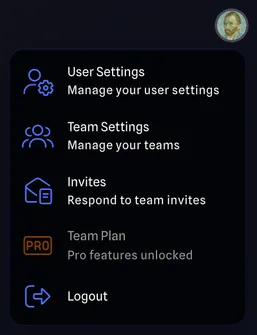
The menu has:
- User Settings: Opens the User Settings Dialog.
- Team Settings: Opens Team Settings.
- Invites: The team invites you have been sent.
- Your plan, which shows one of these depending on your subscription:
- Upgrade to Pro: Starts a Pro subscription.
- Manage Subscription: Opens your billing details.
- Issue with Payment: A payment failed. Opens your billing details so you can update them.
- Team Plan or Perpetual: You have Pro through a team or a perpetual licence.
- Logout